Everything you bookmarked this week, in one email.
You save posts on X, Bluesky, Mastodon, and Nostr and never look at them again. Birdfeeder sends you a weekly summary of what you bookmarked, and keeps a searchable copy of all of it.
Free 14-day trial, no credit card needed
$5/month, $45/year (save 25%) after that
Hey, here are the posts you bookmarked this week.
My Top 4 Heist Films: Thief, Le Cercle Rouge, The Killing, Heat
New zine: how DNS actually works, with all the failure modes I could find
SQLite can handle way more traffic than you think. Notes from running it in production for a year
Want to receive your summary on a different day? Update your preferences.
Delivered weekly, on the day and time you pick.
How a bookmark usually dies
Tapping the bookmark icon feels like saving something. Without a reminder, it's just delaying the moment you lose it. Birdfeeder changes the last step.
You bookmark a thread you want to read properly later. Later never comes.
Two more saves. The thread from Tuesday is already off the bottom of your list.
By now you've forgotten it exists. Search only helps when you remember to look.
Your Birdfeeder email arrives. All 7 saves from the week, right there in your inbox.
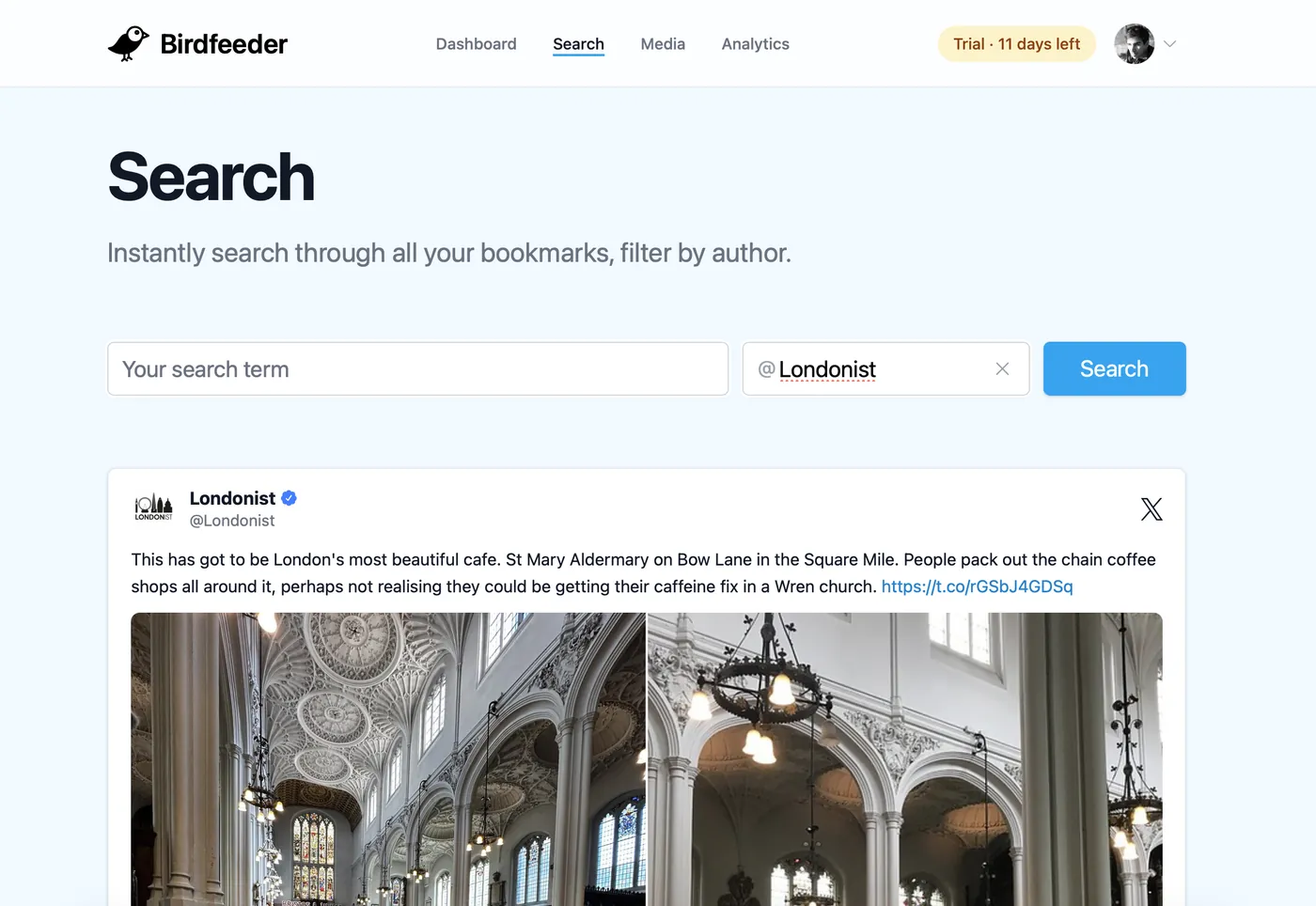
Search
Three words is all you need
Full-text search across every bookmark you've ever saved: the post, your notes, your tags. Filter by author when you remember who said it but not what they said. Works from any browser, no app required.
- Covers posts that were deleted from X
- Searches your private notes and #tags too
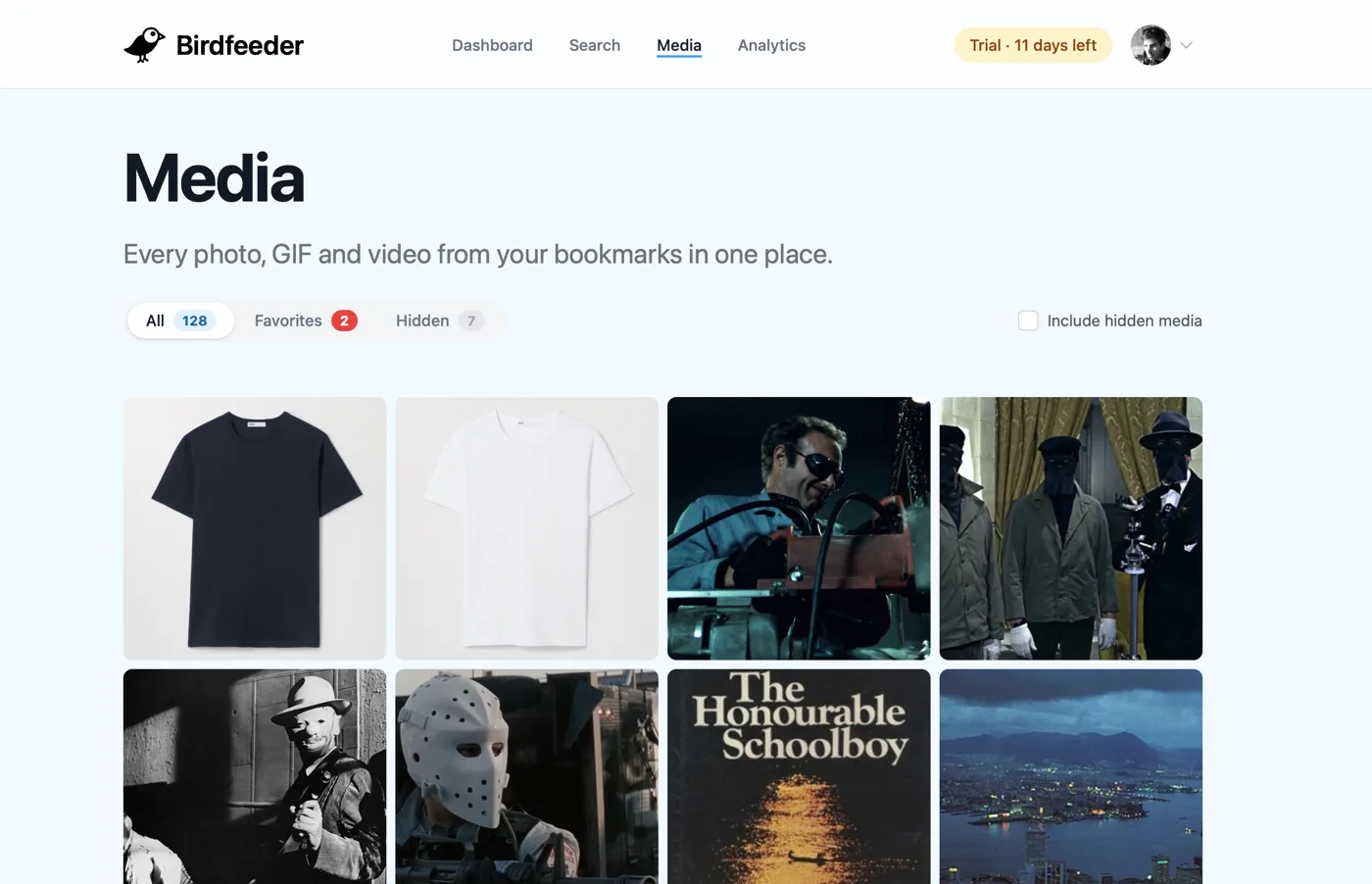
Media
Every photo, one wall
Half the things you bookmark, you bookmark for the picture. The Media page pulls every photo, GIF and video out of your bookmarks into a single grid, so the outfit, the recipe, or the film still is one glance away instead of buried in a list.
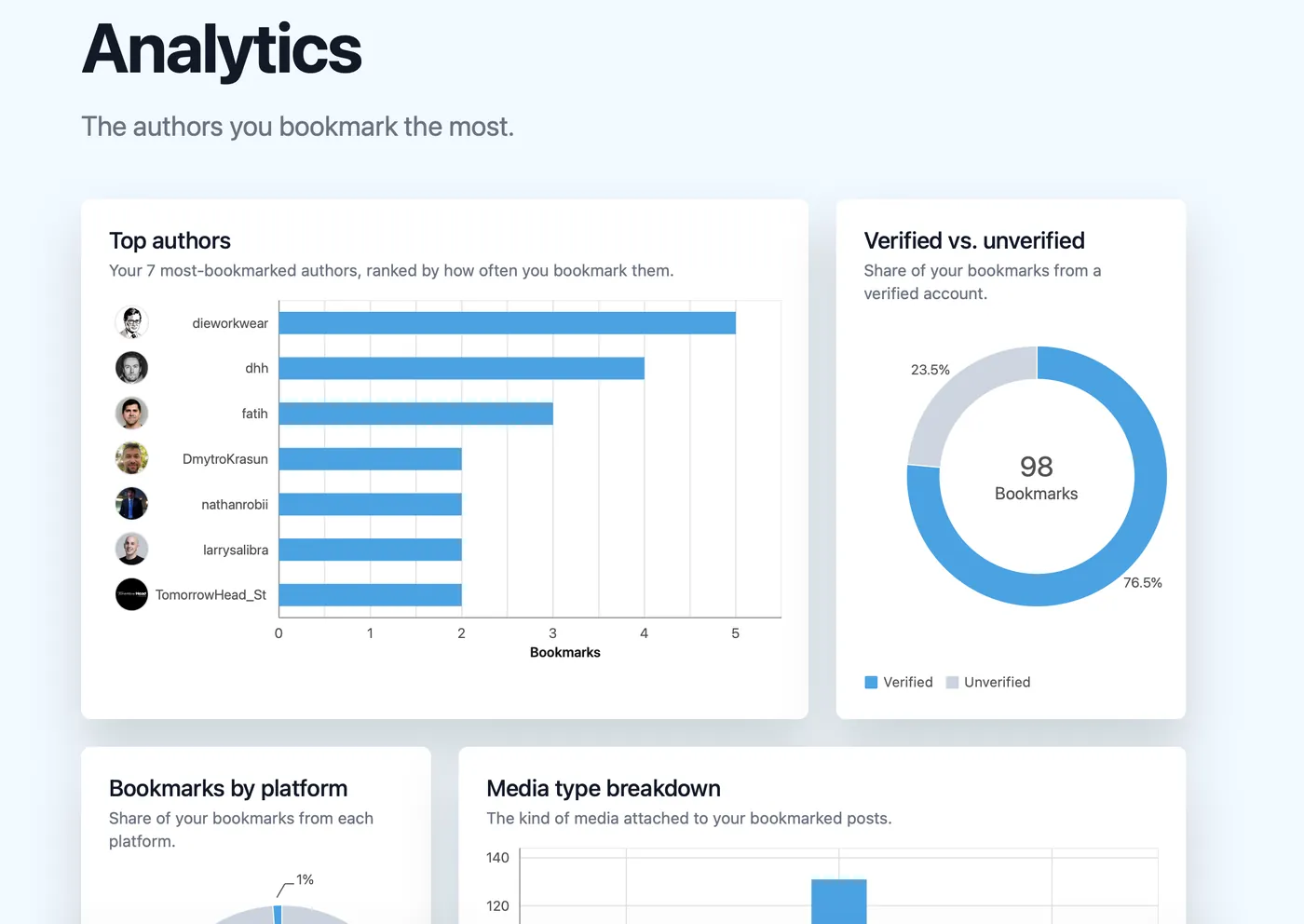
Analytics
See who you actually save
Your most-bookmarked authors, platforms, and media types, charted. It's a fun mirror, and a practical one: the authors you keep saving are the ones worth following more closely.
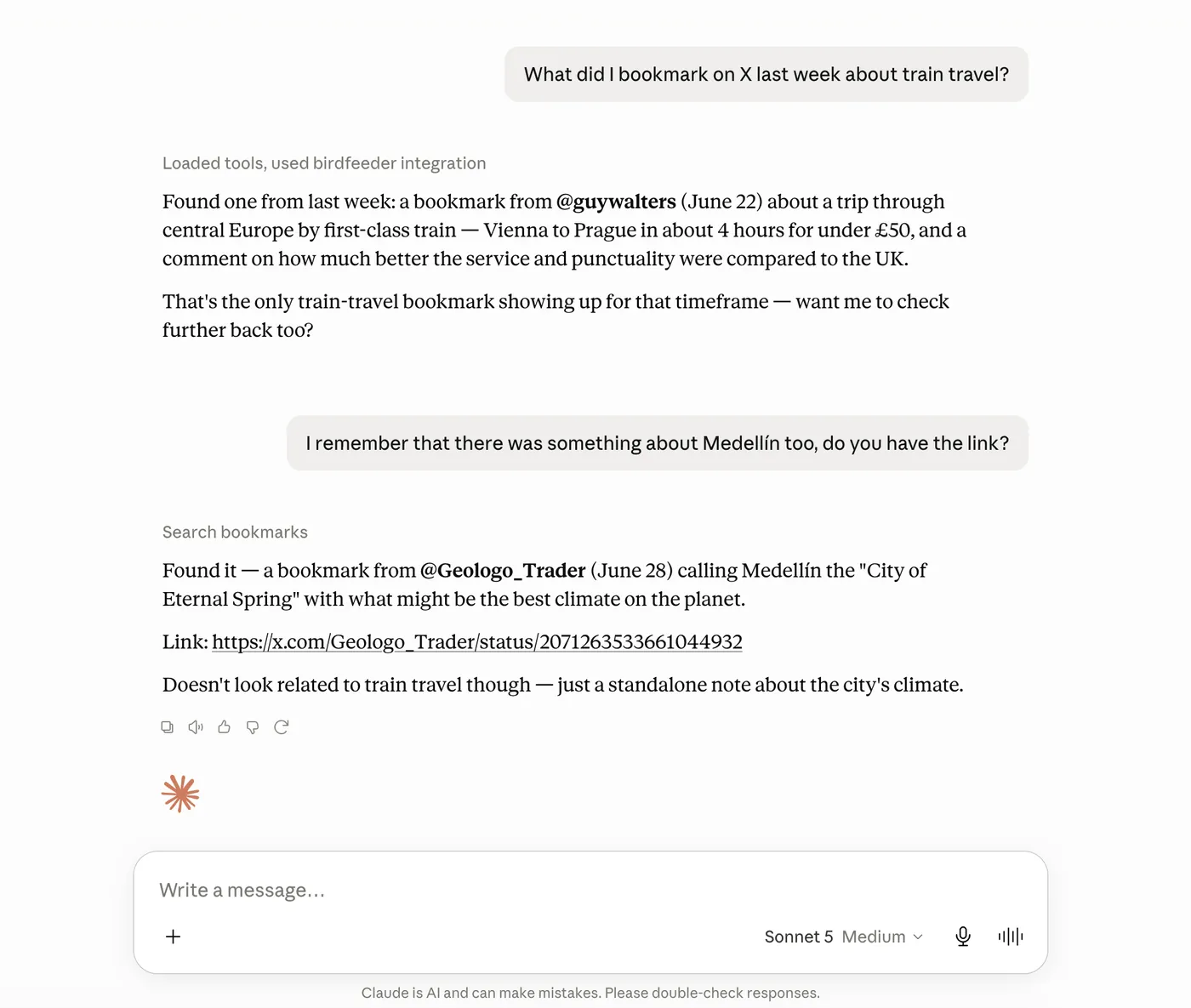
MCP Server
Ask Claude about your bookmarks
Birdfeeder ships an MCP server, so your AI assistant can search your archive for you. “What did I bookmark last week about train travel?” gets a real answer with a real link. No scrolling, no tab-switching.
- Works with Claude and any MCP-compatible assistant
- Read-only access to your own archive, nothing else
X, Bluesky, Mastodon, and Nostr, one archive
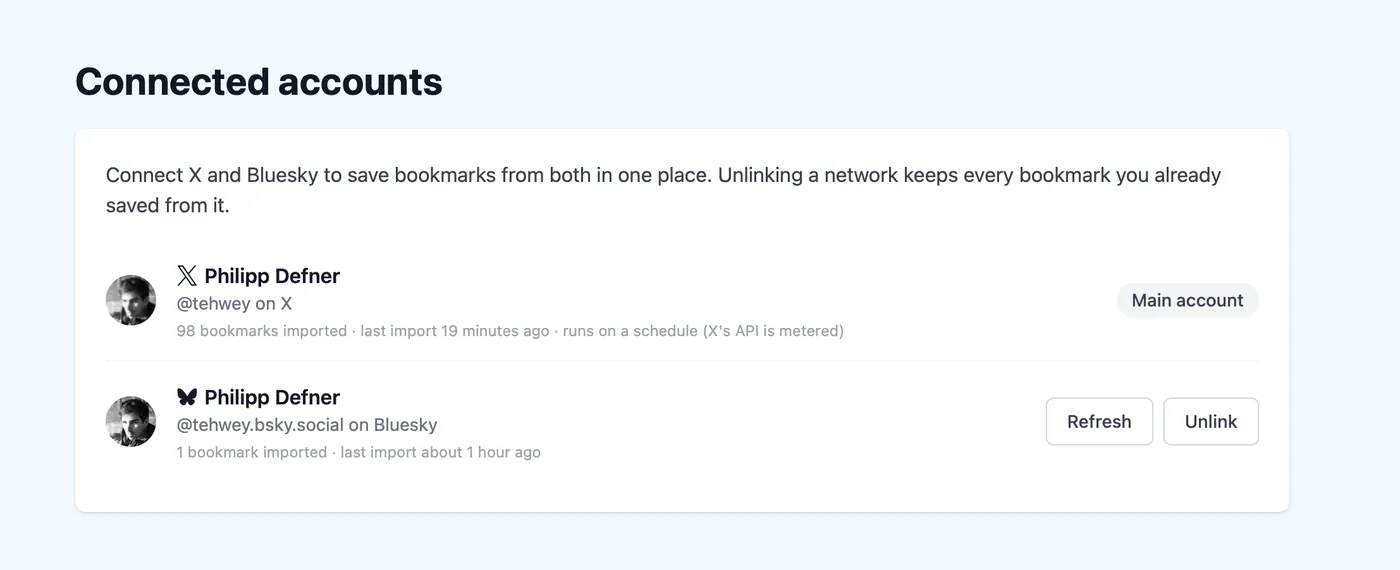
Sign up with X, Bluesky, or Mastodon, then link your Nostr npub from Settings whenever you're ready — every bookmark lands in the same searchable place. Unlinking a network keeps everything you already saved.
The email is half of it
Bookmarks get lost in more ways than one. Birdfeeder covers each of them.
Nothing reminds you a bookmark exists
A weekly nudge in your inbox
The summary email puts your saves back in front of you while they're still relevant. Read them when you have a moment, maybe with your Sunday morning coffee. Each summary also brings back a few older bookmarks you saved months ago.
Deleted posts vanish, even from search
Your own archived copy
Birdfeeder stores the text of every bookmark the moment you save it. If the post or its author disappears from X or Bluesky, your copy stays findable. Download your bookmarks as CSV, TSV, JSON, or Excel any time. Bluesky, Mastodon, and Nostr downloads are free. X downloads come with the yearly plan.
Bookmarks are bare and stuck in X
Notes and search, all yours
Add a private note about why you saved something, then find any bookmark again with full-text search, by keyword or by who posted it, from any browser, years later.
Set up once, in about a minute
Nothing changes about how you use X (Twitter), Bluesky, Mastodon or Nostr. Sign in once, keep bookmarking like you always have, and Birdfeeder does the rest in the background.
Connect your account
Sign in with X (Twitter), Bluesky or Mastodon and grant read access to your bookmarks. Add Nostr later in settings. That's the whole setup.
Bookmark as usual
New bookmarks are picked up automatically and archived with their full text.
Get the weekly email
Every week, on the day and time you pick, your new saves land in your inbox. Search your saved bookmarks any time.
- 26137+
- Accounts monitored
- 92420+
- Bookmarks archived
- Zero
- Bookmarks forgotten
“I always bookmark interesting links on X, only to find them again a few months later. I built Birdfeeder to solve that issue.”
Your next summary could arrive this Sunday
14 days free. No credit card needed. Cancel any time.
Blog
Recently published posts on the Birdfeeder blog.
How to Export Your Mastodon Bookmarks
How to export your Mastodon bookmarks: the built-in CSV only lists post links. Get the full text, author and dates as CSV, Excel or JSON with Birdfeeder, free.

Philipp Defner